FIFAMAN App
The platform where mods just work
FIFAMAN’s own launcher for FC mods: library, subscriptions, installation, updates and game launch — all in one window. Steam and EA app-level convenience, built for mods.
Download FIFAMAN App
Free · Windows 10 and 11 · current version 1.7.9. Install once — the app keeps itself up to date.
Features
Everything your mods need — in one window
Mod library
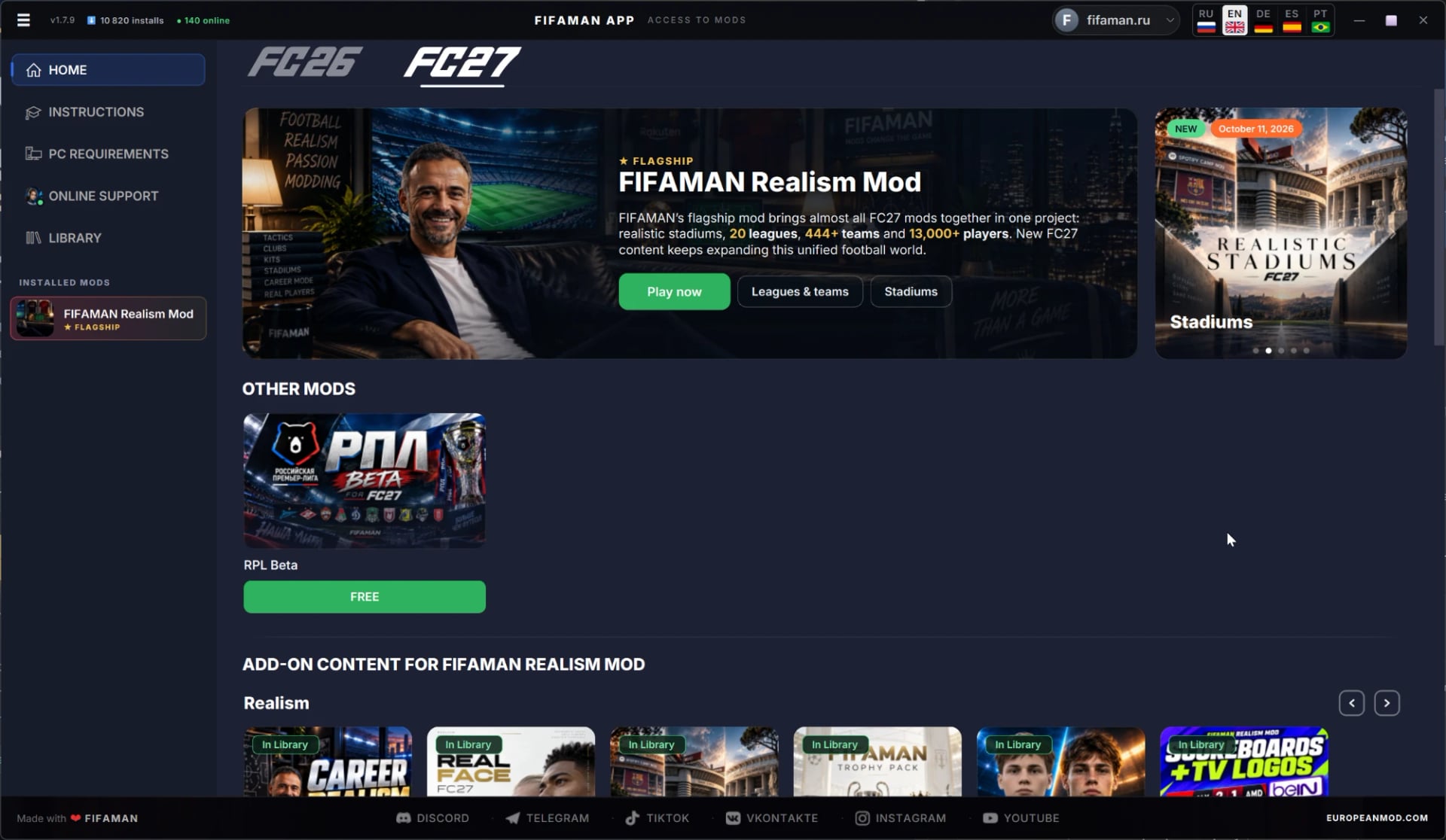
All FIFAMAN mods for FC 27 and FC 26 — free and subscription-based — in one place. See at a glance what’s installed, what’s been updated and what’s compatible with your game version.
Patreon and Boosty subscriptions
Link Patreon or subscribe on Boosty with the same e-mail — paid mods appear in your library on their own. No keys, archives or manual activation.
One-click install
One button on the mod cover downloads and installs everything you need. Add-ons switch on with toggles under “Additional Content”.
Game launch
The “Play” button launches FC 27 with the mod already loaded. Game files are left untouched: turn the mod off and the game is original again.
Auto-updates
After an FC 27 patch, the mod adapts and arrives as an update — an “Update” button appears in your library. The app itself updates automatically too.
In-app support
A knowledge base, video guides and a support chat right inside FIFAMAN App, plus communities on Telegram and Discord.
Inside the app
What FIFAMAN App looks like
Unedited in-game shots. Click to enlarge.
Step by step
How to install the mod and start playing
- 01
Install FIFAMAN App and sign up
Sign-up is free and needs only an e-mail. Planning to pay through Boosty? Use the same e-mail you use there.
- 02
Choose the FC 27 tab
Game tabs are at the top of the app window. FC 27 requires FIFAMAN App 1.7.5 or newer.
- 03
Get the mod
Free mods: click “Add to library”. FIFAMAN Realism Mod: click “Subscribe” (Patreon or Boosty) — after payment, the mod appears in your library on its own.
- 04
Install the mod
Click the round arrow button on the mod cover in your library. Turn on the add-ons you want with the toggles.
- 05
Play
Click “Play” in the library — only there, not from the EA app or Steam. The first launch after an install or update takes 5–15 minutes: the mod is being built for your game. Start a new career.
The same mod for $10 a month on both platforms — any card, any currency. Cancel anytime.
Requirements
- Licensed EA SPORTS FC 27 for PC (EA app or Steam) and an internet connection at launch
- Windows 10 or 11, 64-bit
- Minimum: Ryzen 5 1600 / Core i5-6600K, 8 GB RAM, Radeon RX 570 / GeForce GTX 1050 Ti
- Recommended: Ryzen 7 2700X / Core i7-6700, 12 GB RAM, RX 5600 XT / GTX 1660
- About 100 GB of free space, preferably on an SSD
- Third-party anti-cheats (FACEIT, Vanguard, ACE, EAC, BattlEye) must be uninstalled
Good to know
- Your antivirus may flag the app’s files as suspicious — this is a false positive. Add the FIFAMAN App folder and C:\FIFAMAN Mods to its exclusions.
- Mods work offline only: Career Mode, friendlies and tournaments. Ultimate Team, Clubs and online matches are unavailable with the mod.
- A mod is bound to one PC; you can move it to another computer once every 30 days.
- FC 26 mods don’t work in FC 27 and can’t be carried over — each game has its own library.
Done — all that’s left is to subscribe
The mod will appear in your FIFAMAN App library automatically within a couple of minutes after payment.
The same mod for $10 a month on both platforms — any card, any currency. Cancel anytime.